
Buying a used smartphone can stretch your budget, but a low price is not proof of a good deal. A spotless device may carry a network block, account lock, weak battery, or hidden damage. The safest purchase is a sequence of checks, not a quick glance.
This process works for local sales, online marketplaces, and refurbished-device stores. Menus vary by model, so confirm details with the manufacturer and your carrier before paying.
Decide What You Need Before Comparing Listings
Begin with requirements rather than discounts. Choose an operating system, storage, size, essential camera features, and minimum software-support period. A phone near the end of security updates may need replacement sooner.
Write down your non-negotiables:
- Exact model and, when relevant, regional or carrier variant
- Minimum storage, remembering that usable space is lower than the advertised total
- Physical SIM, eSIM, or dual-SIM support
- Required features such as NFC, wireless charging, or accessibility tools
- A realistic repair or battery-replacement allowance
Compare several similar devices in equivalent condition. An unusually low price is a reason to investigate, not hurry. Ask for current photos of the actual phone and a description of defects and repairs.
Verify Carrier and Network Compatibility
“Unlocked” and “compatible” are different claims. An unlocked phone is not restricted to one carrier, but it may still lack the bands, technologies, or carrier approval needed for full service. A model sold for another country can resemble the domestic version while supporting different frequencies.
Get the full model number and IMEI. Enter the IMEI in your carrier’s official bring-your-own-device checker; AT&T, for example, uses it to determine activation compatibility. For eSIM, confirm that the variant supports it and your carrier can provision it. Check calling, data, messaging, hotspot, and 5G rather than assuming every feature works.
For an iPhone, the About screen may show “No SIM restrictions” beside Carrier Lock when it is unlocked. For any brand, carrier financing obligations and unlock eligibility can be separate issues. Ask the original carrier directly when possible, and do not rely only on a seller’s screenshot.
Check the IMEI and Stolen-Device Status
The IMEI is a cellular device’s unique identifier. Obtain it from the phone’s settings or by dialing *#06#, then compare it with the identifier on the box or sales paperwork if available. A mismatch can signal a substituted device, inaccurate listing, or tampering. Dual-SIM phones may have two IMEIs, so record and check both.
In the United States, CTIA’s Stolen Phone Checker uses GSMA Device Check data to indicate whether a device has been reported lost or stolen. A red result means it is on the block list; walk away. A green result means it was not flagged at the time of the query, not that the phone is guaranteed legitimate forever. Save a dated screenshot or printout of the result.
Ask your carrier whether it can activate the device. Do not pay if the seller withholds the identifier, the on-screen model description does not match, or the IMEI appears altered.
Make Sure Activation Locks Are Removed
A factory reset alone does not prove that a phone is ready for a new owner. Apple’s Activation Lock links an iPhone to the previous owner’s Apple Account through Find My. Apple advises buyers not to take ownership if “iPhone Locked to Owner” appears or setup asks for the previous owner’s credentials. The seller must remove the device from the account; promises to do it later are not enough.
Android has device protection that can require the screen lock or a Google Account previously synced to the phone after an unauthorized reset. Have the seller remove personal accounts using the proper settings, perform the reset, and remain present while you start setup. Stop if the phone requests the former owner’s Google credentials. Do not use bypass services or accept claims that a third party can unlock it afterward.
Reach a usable screen before paying. Online, confirm that the return policy covers an account-locked device.
Evaluate Battery Health and Charging
Lithium-ion batteries wear with age, and short runtime can create an immediate repair bill. Ask about shutdowns, overheating, charging problems, and battery replacement. Treat vague answers as unknown condition.
On supported iPhones, Battery Health & Charging shows maximum capacity and may display important battery messages. Apple notes that health information may be unavailable for an unknown or nongenuine battery. On Android, available battery diagnostics vary by manufacturer; use the maker’s built-in diagnostic tool when provided.
Connect a known-good cable and charger. Confirm charging starts reliably and the connector is firm. Test wireless charging separately if supported. Swelling, a lifting screen, chemical odor, or extreme heat is a safety warning. Do not buy or continue charging a swollen device. Price likely battery service through a reputable provider.
Inspect the Phone in a Consistent Order
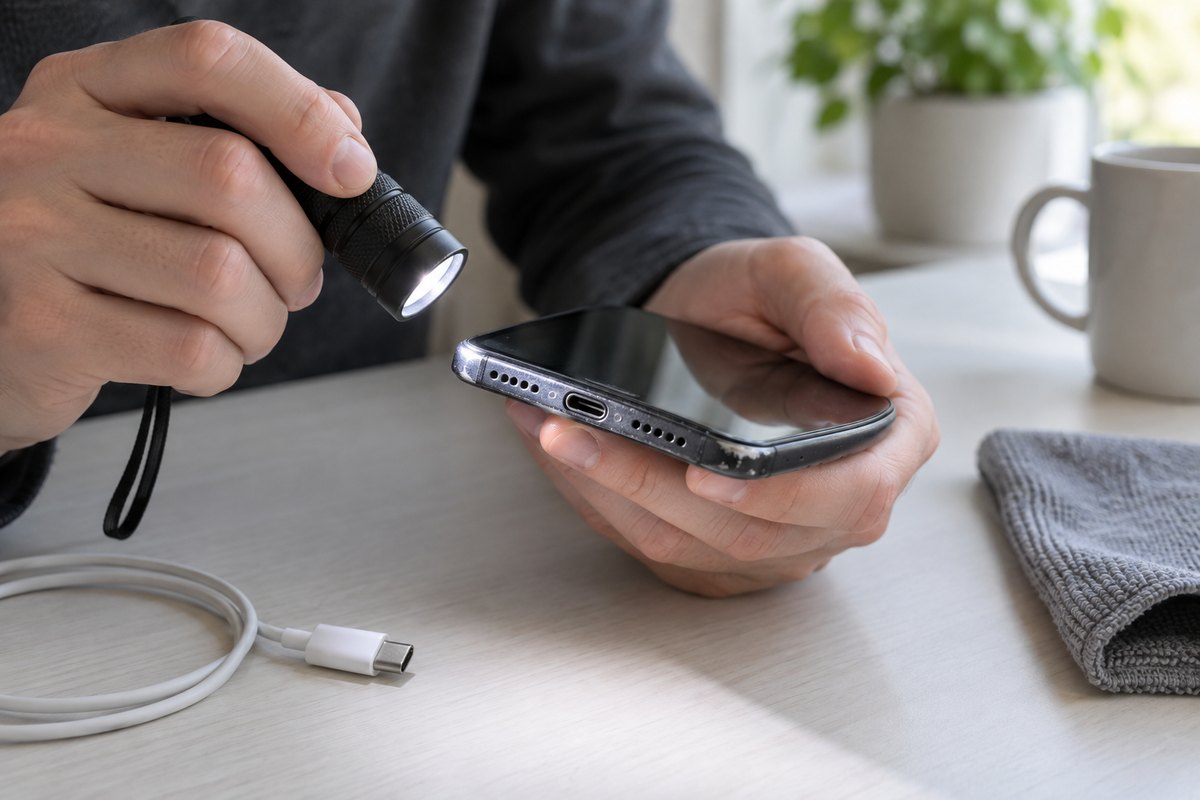
Remove the case and screen protector if the seller agrees. Bright light reveals bends, cracks, dents, lens damage, and gaps suggesting a poor repair. Check ports for corrosion or debris. Do not assume an older or repaired phone remains water-resistant.
Then test the hardware methodically:
- Touch every area of the display and look for dead pixels, discoloration, flicker, and image retention.
- Test all cameras at near and far focus, with flash, and while recording video.
- Make a call to check the microphone, earpiece, loudspeaker, proximity sensor, and cellular connection.
- Try Wi-Fi, Bluetooth, GPS, vibration, biometric unlock, and screen rotation.
- Press every button and test the charging port, SIM tray, and headphone jack if present.
- Check maximum and minimum brightness and listen for distorted audio.
Restart once. Random shutdowns, repeated warnings, and intermittent failures matter more than cosmetic scratches.
Review Repairs, Parts, and Software Support
Ask whether the screen, battery, cameras, back glass, or charging assembly has been replaced and who performed the work. Request repair records when available. On supported iPhones, Parts and Service History in Settings can show certain replaced components and may label a part as genuine, used, or unknown, depending on model and software version. An “unknown” message needs explanation; do not assume it is merely cosmetic.
Android diagnostics vary by manufacturer. Check biometrics, automatic brightness, cameras, and touch response because replacement parts can affect them. Compare the installed security patch and exact model with the manufacturer’s update policy.
“Refurbished” has no universal meaning. Ask what was inspected, repaired, or replaced and by whom. Read any return or warranty terms, including exclusions, claim steps, and shipping costs. Do not assume protection the listing does not provide.
Assess the Seller, Listing, and Payment Method
Read recent seller feedback, not just the average rating. Search the seller or store name with “complaint” and “review.” The FTC warns that reviews can mislead and recommends checking marketplace rules, refund help, and return deadlines before buying.
Keep communication and payment inside the marketplace when its protection requires that. Avoid gift cards, cryptocurrency, wire transfers, and off-platform requests that remove practical recourse. A credit card can provide legal protections for eligible disputes, but it is not a blanket guarantee of a refund. Read the issuer’s terms.
Meet in a safe public location with power, Wi-Fi, and enough time. A carrier store may permit compatibility checks; ask first. Never let urgency replace testing.
Put the Condition and Sale in Writing
Before payment, create a receipt that identifies what both parties agreed to. It should include the date, price, seller and buyer names, phone make and exact model, storage and color, IMEI or IMEIs, included accessories, payment method, and disclosed defects or repairs. Both parties should retain a copy. Avoid placing unnecessary sensitive information on it.
If a business offers returns or a limited warranty, keep the terms, listing, order confirmation, messages, serial information, and IMEI result. For a private sale with no returns, state that clearly. A receipt cannot erase a network block, but it documents the transaction.
After the sale, complete setup with your own account, install updates, enable a screen lock and device-finding features, and test cellular service promptly while any stated return period remains open.
Conclusion
A safe used-smartphone purchase depends on independent verification. Confirm the exact model with your carrier, check every IMEI for loss or theft reports, clear Apple or Google ownership locks, inspect battery and hardware condition, and understand repairs and software support. Pair those technical checks with a reputable seller, a traceable payment method, written terms, and a detailed receipt. No single green screen or polished listing removes every risk, but this layered checklist makes costly surprises much less likely.